
Every Part of a Roofing Company, on One Record
More calls in, none dropped. A standard roofing core that customizes to how you already work, with Ginny built in.
Ginny Makes the Phone Ring
Ginny runs InGen's marketing engine for your company, and every lead it brings in lands on the Apex record.
- Source
- Google profile
- Channel
- Web request
- Need
- Hail damage, wants an inspection
- Assigned
- Sales rep, first call today
- Tracked to
- Contract Won
Get Found
- Website built and hosted for you
- Web requests become leads in Apex
- Google profile and review requests
Show Up in AI Search
- Weekly AI visibility check (ChatGPT, Gemini, Google)
- Answers to the questions homeowners ask
Stay in Front of Homeowners
- Blog and social posts from one approval queue
- Newsletters from your own sender
- Lead source tracked to Contract Won
Every Finished Roof Becomes a Pin on the Map
When a job is done, Apex takes the CompanyCam photos and drafts a pin on the street where you did the work, with a short write-up for your website's work map. You approve it. Neighbors see real roofs on their street, and Google and AI assistants see real work in real towns.
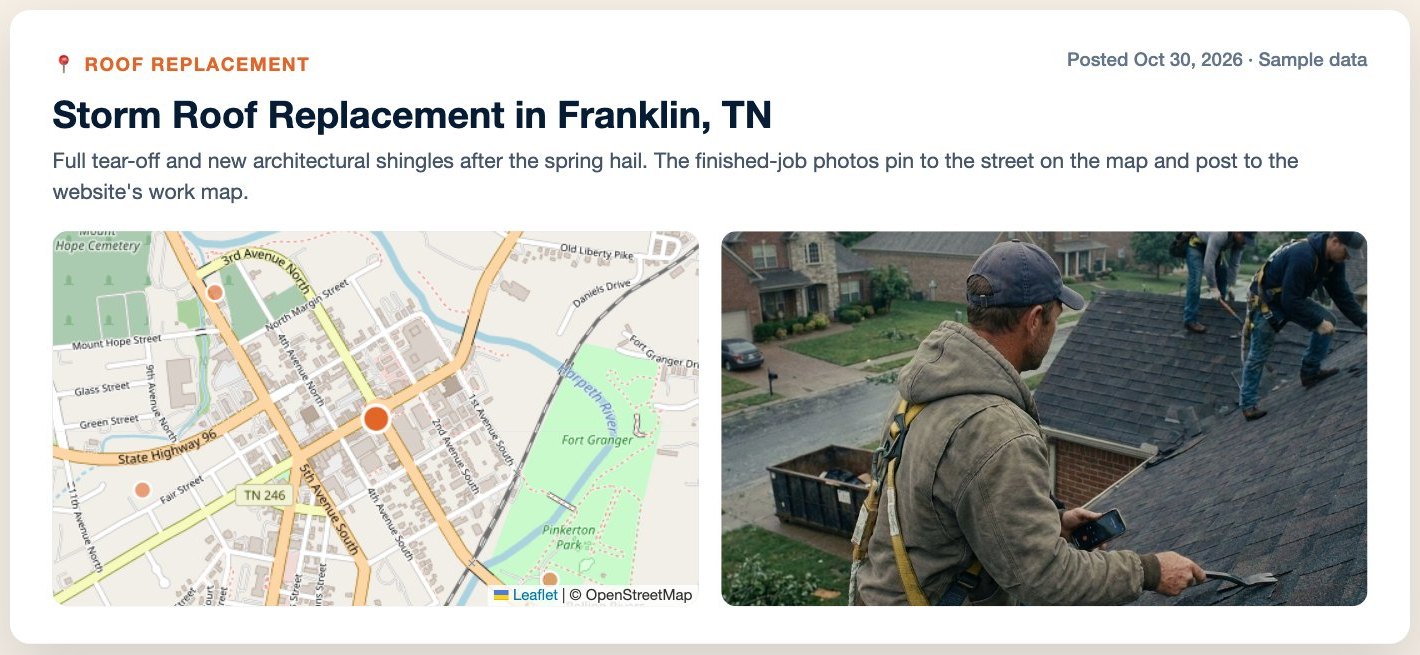
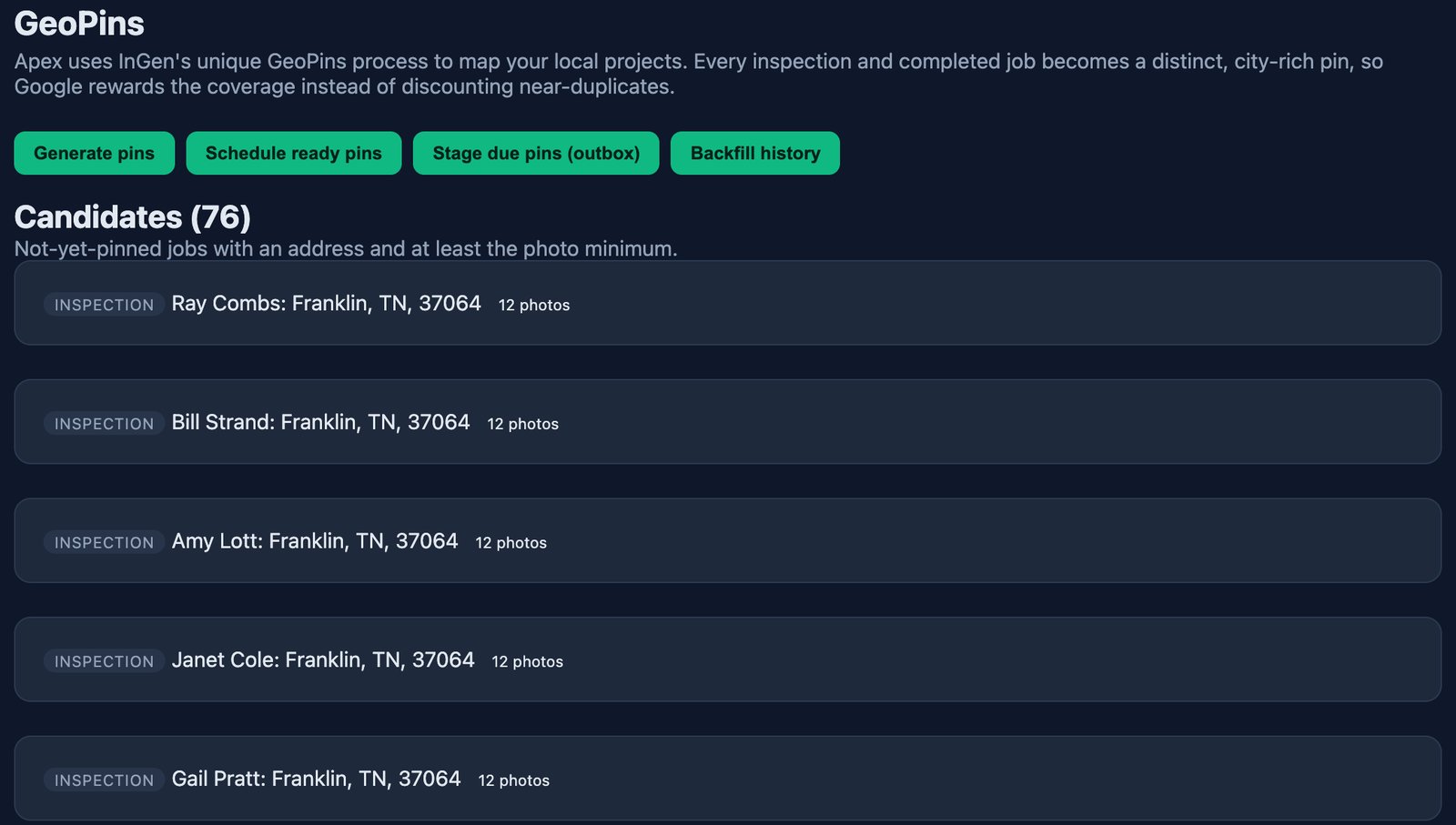
Already using a pin service? Apex works alongside it. GeoPins is there when you want it.
Know Whether AI Assistants Name You
Homeowners now ask ChatGPT, Gemini and Google who to call. Every week, Apex checks the questions they ask in your towns and shows where you stand against the roofers you compete with.
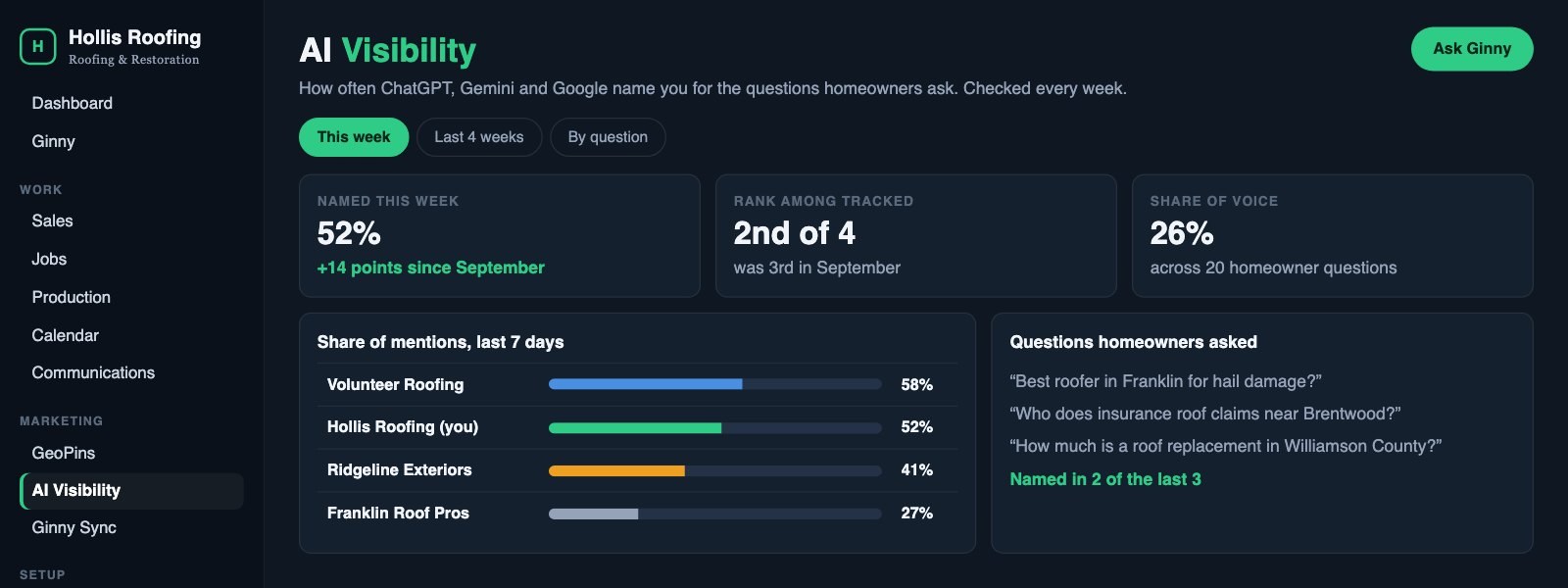
Checked Every Week
The same homeowner questions, asked again every week.
- ChatGPT, Gemini and Google
- Your towns and services
Against Your Competitors
See who gets named instead of you.
- Share of mentions
- Rank among tracked roofers
What to Do Next
Ginny turns gaps into content for your approval.
- Posts and pages that answer the question
- GeoPins from real jobs
From First Call to Contract Won or Contract Lost
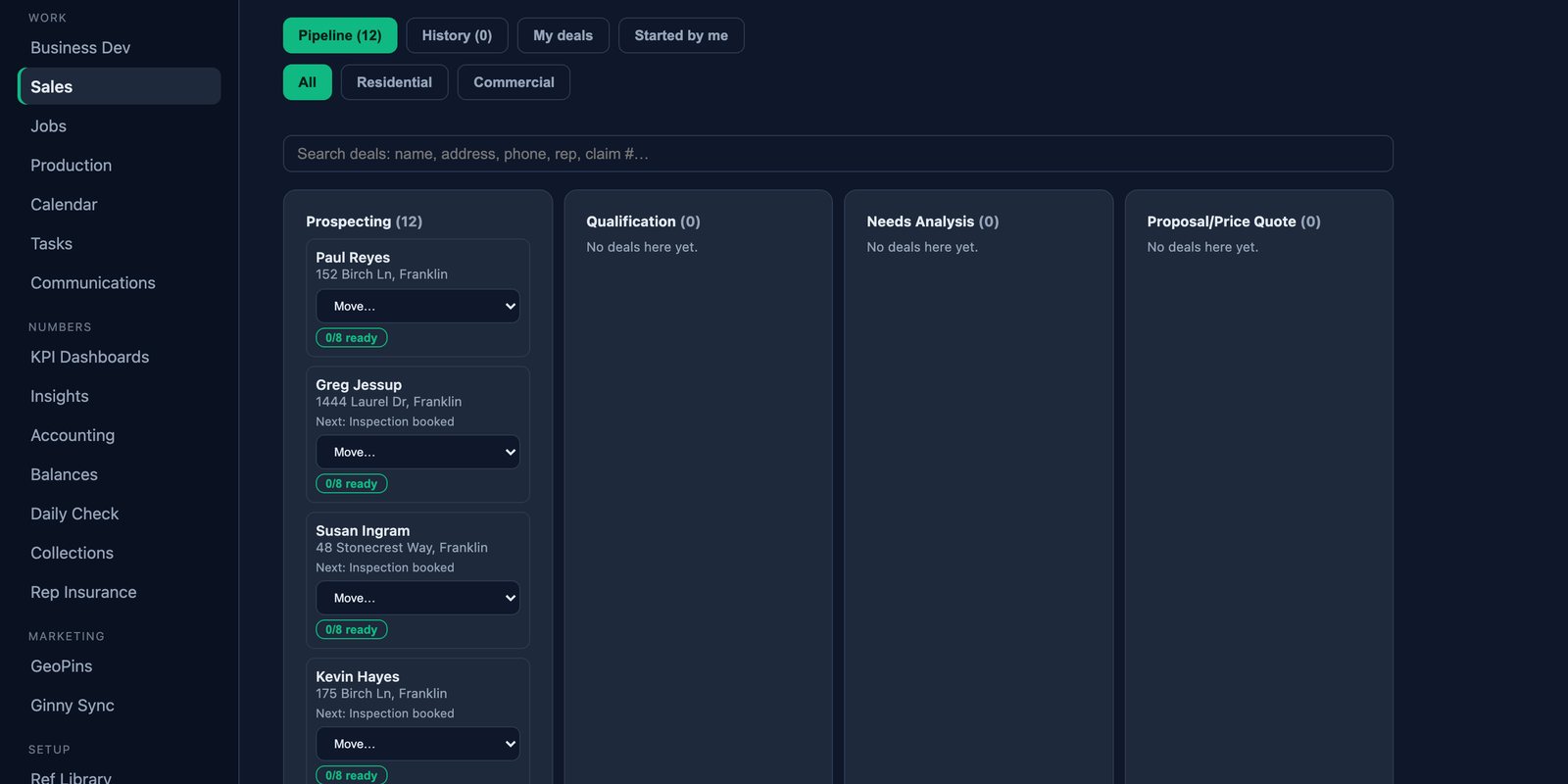
Lead Channels
Every lead enters with its channel and source attached.
- Office
- Agency referral
- Self-generated
- Customer referral
- Marketing
Pipeline Stages
Your stages, your reasons, your team.
- Contract Won with reasons
- Contract Lost with reasons
- Insurance claim stages include Denied
My Leads
Each rep works from a focused list of their own deals.
- My Leads view per rep
- New deals by screen, chat or voice
- Reps see only their deals
The Work Runs on One Job Record
One Job Record
Every job holds its people, notes, photos, texts, calls, invoices and payments.
- Job numbers
- Contacts and notes
- Photos, texts and calls
- Invoices and payments
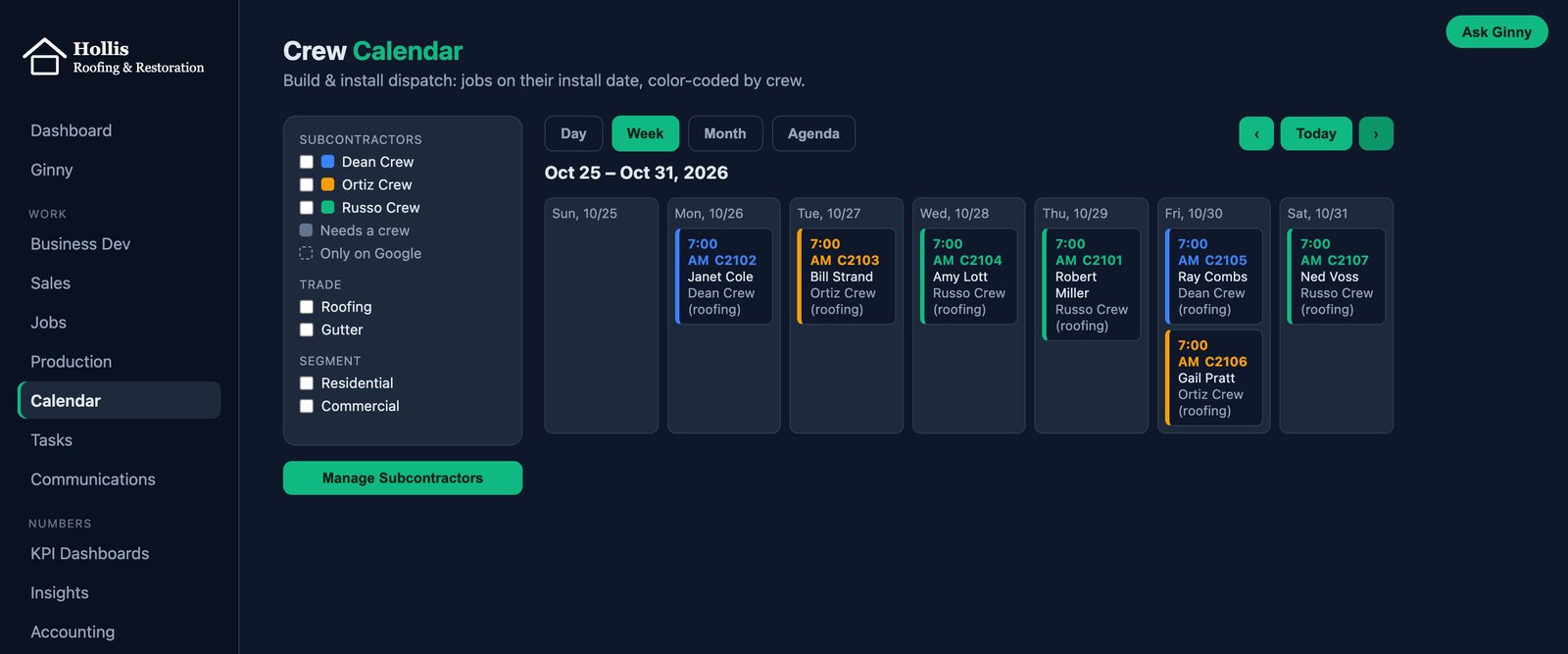
Calendar and Crews
Scheduling syncs with Google Calendar and works for crew companies.
- Google Calendar two-way sync
- Multi-day jobs as bars
- Phone layout
- Crew companies see only their own jobs
Tasks
Assigned work stays visible, and overdue work gets a morning reminder.
- Assigned tasks
- Past-due reminders each morning
- Archive and restore
The Conversation Stays on the Job
Company-Line Texting
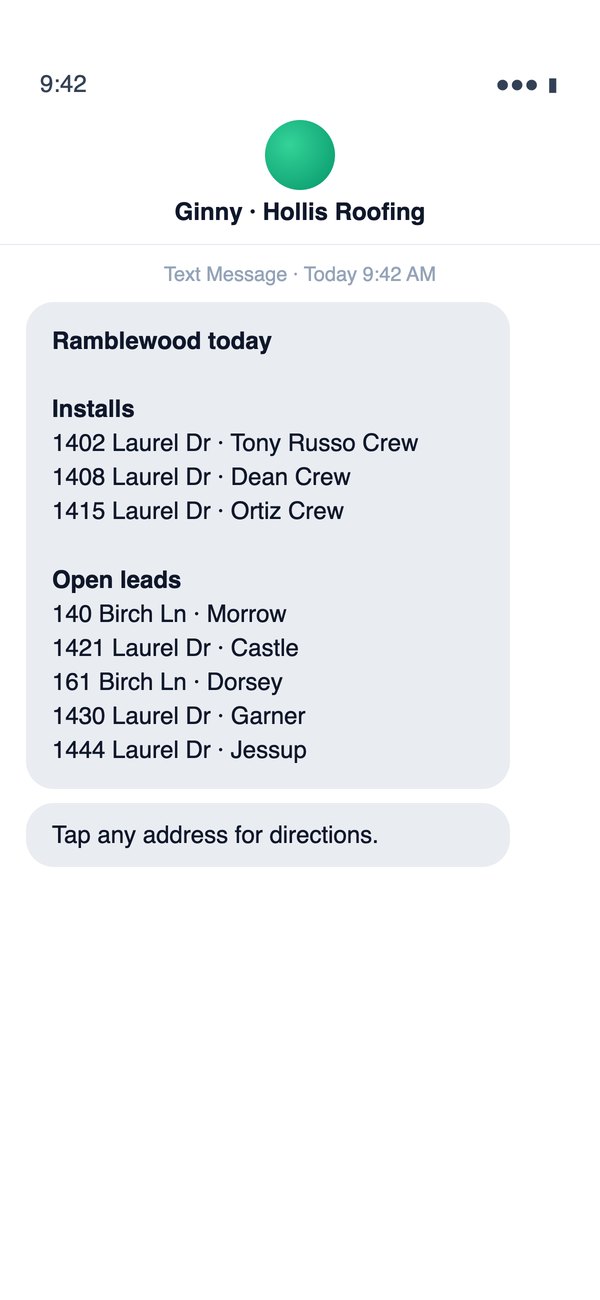
Texts come from the company line, not personal phones.
- Templated texts
- Scheduled sender every 15 minutes
- Send to rep
- Texts on the job
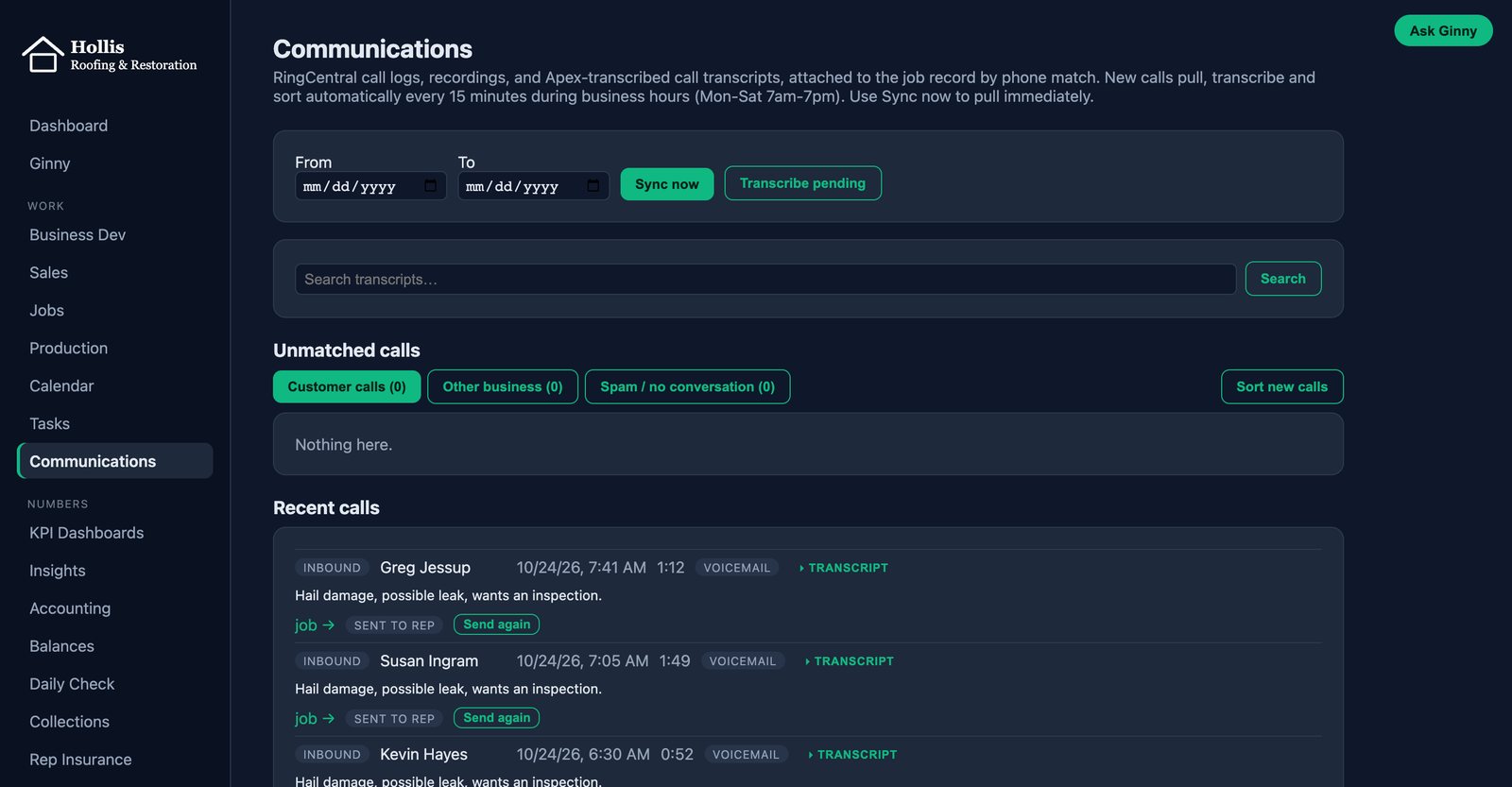
Calls and Recordings
Call logs and recordings attach to the job by phone number.
- Pulled nightly
- Transcribed
- Attached by phone number
CompanyCam Photos
CompanyCam projects link to jobs. The first photo date becomes the inspection date.
- Projects linked to jobs
- Reps auto-assigned
- First photo date becomes the inspection date
Money That Balances to the Penny
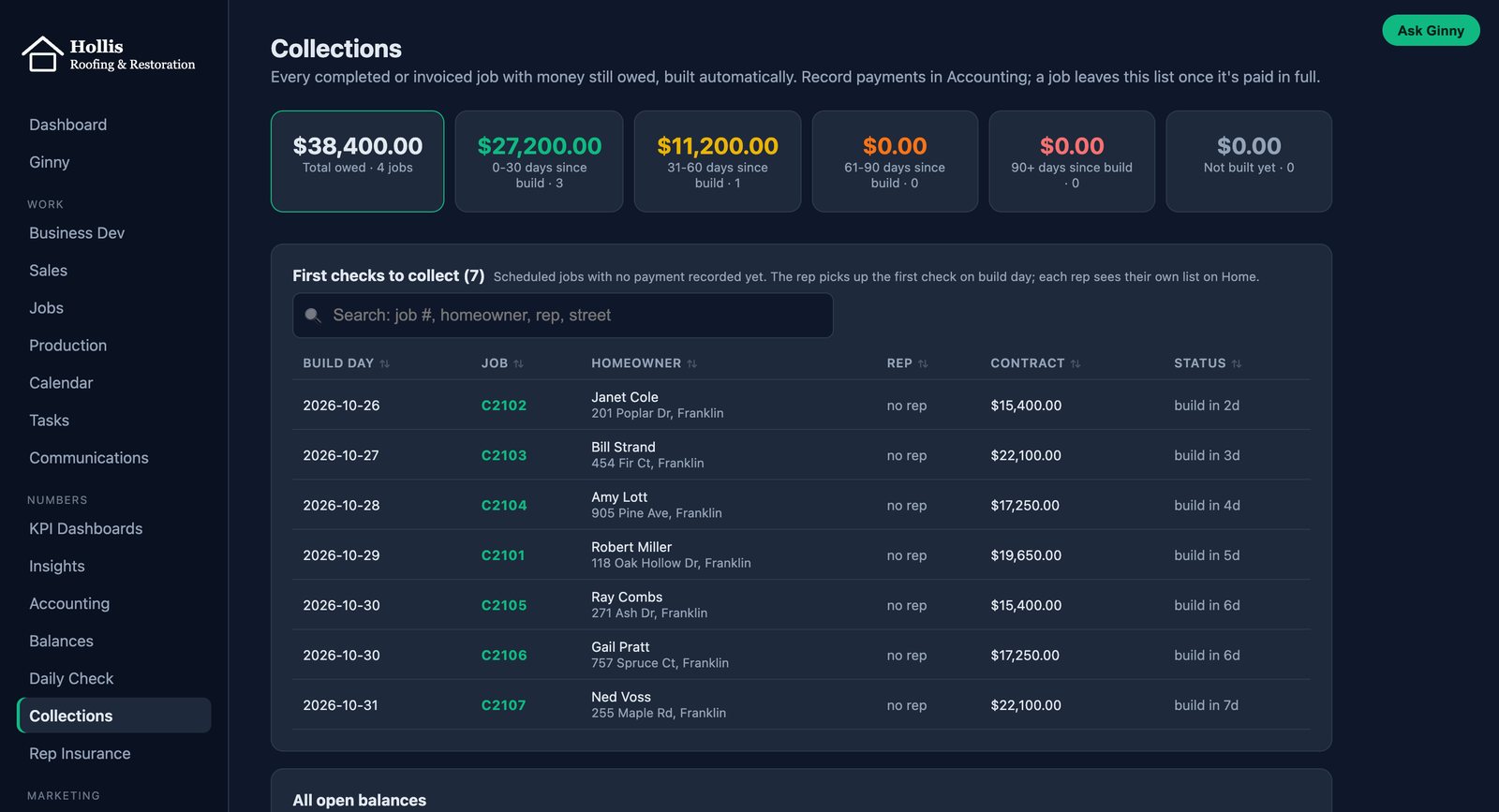
Accounting
Payments, deposits and supplier bills stay on the job.
- Payments with check number and type
- Supplier bills: approve, pay, void with reason
- A/R aging and notes
- Invoice forms by shingle brand
Daily Check
Apex, QuickBooks and your office sheet must match, to the penny.
- Compares three sources
- Refuses on mismatch
- Names any line that differs
- Balances to the penny
Commissions and Capping
Commission math runs on your rules, and owners approve caps.
- Lead fees and splits
- Job costs
- Commission report by cap date
- Owner approves cap
The Numbers That Matter, in One View
Pick a time range and see new leads, contracts won and lost, sales booked and close rate, with the trend by month. Every number opens to the jobs behind it.
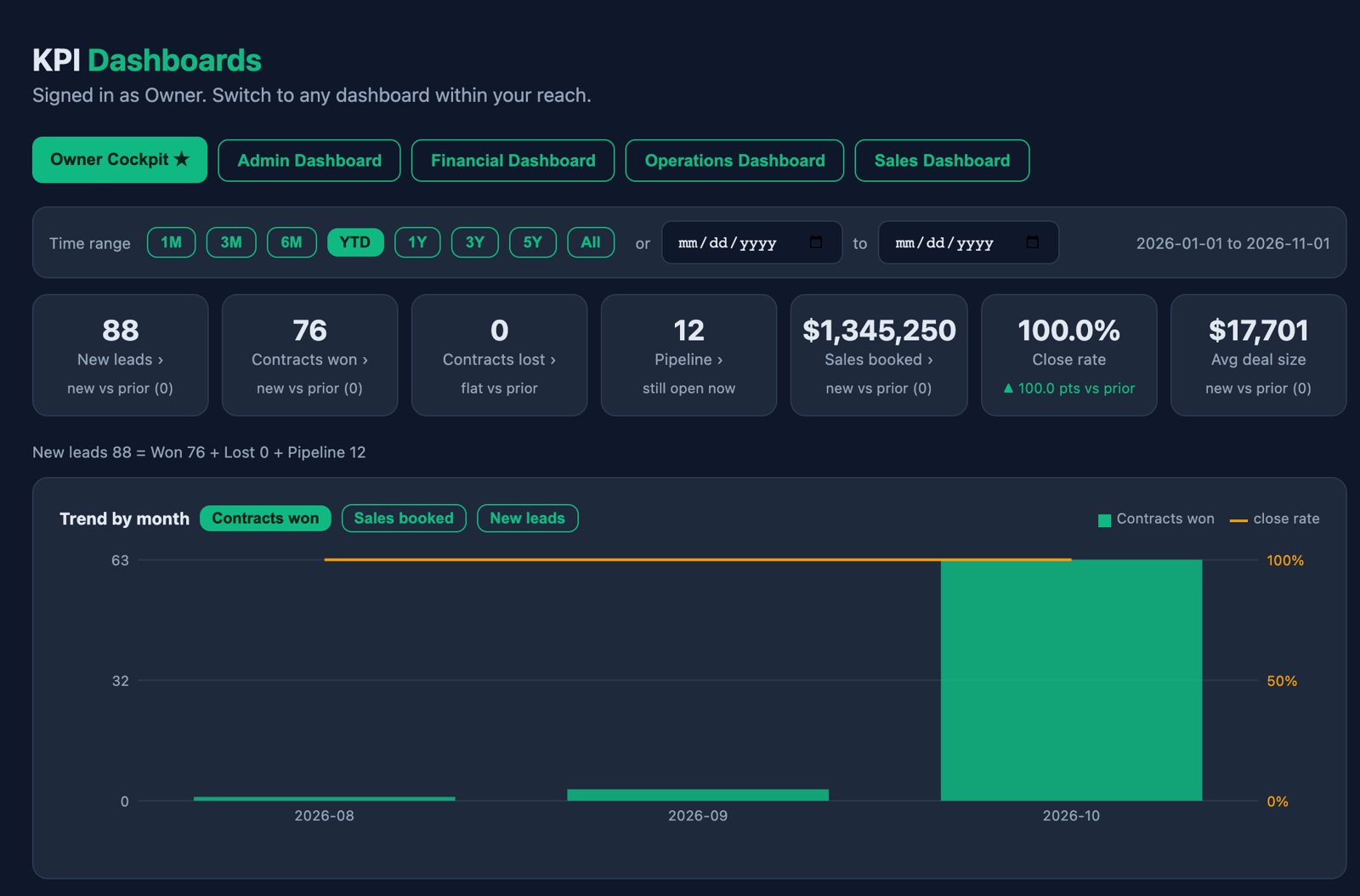
Owner Cockpit
The whole company at a glance.
- Leads, wins and losses
- Sales booked and close rate
Dashboards by Role
Admin, Financial, Operations and Sales views.
- Each person sees their own
- Money only for allowed roles
Ask About Any Number
Ginny explains how a number was counted.
- Plain-English questions
- Read-only, logged
Ask, Act and Remember
Example question: "How many Google leads did we win in Franklin this year, by rep?" Ginny answers and shows how she counted.
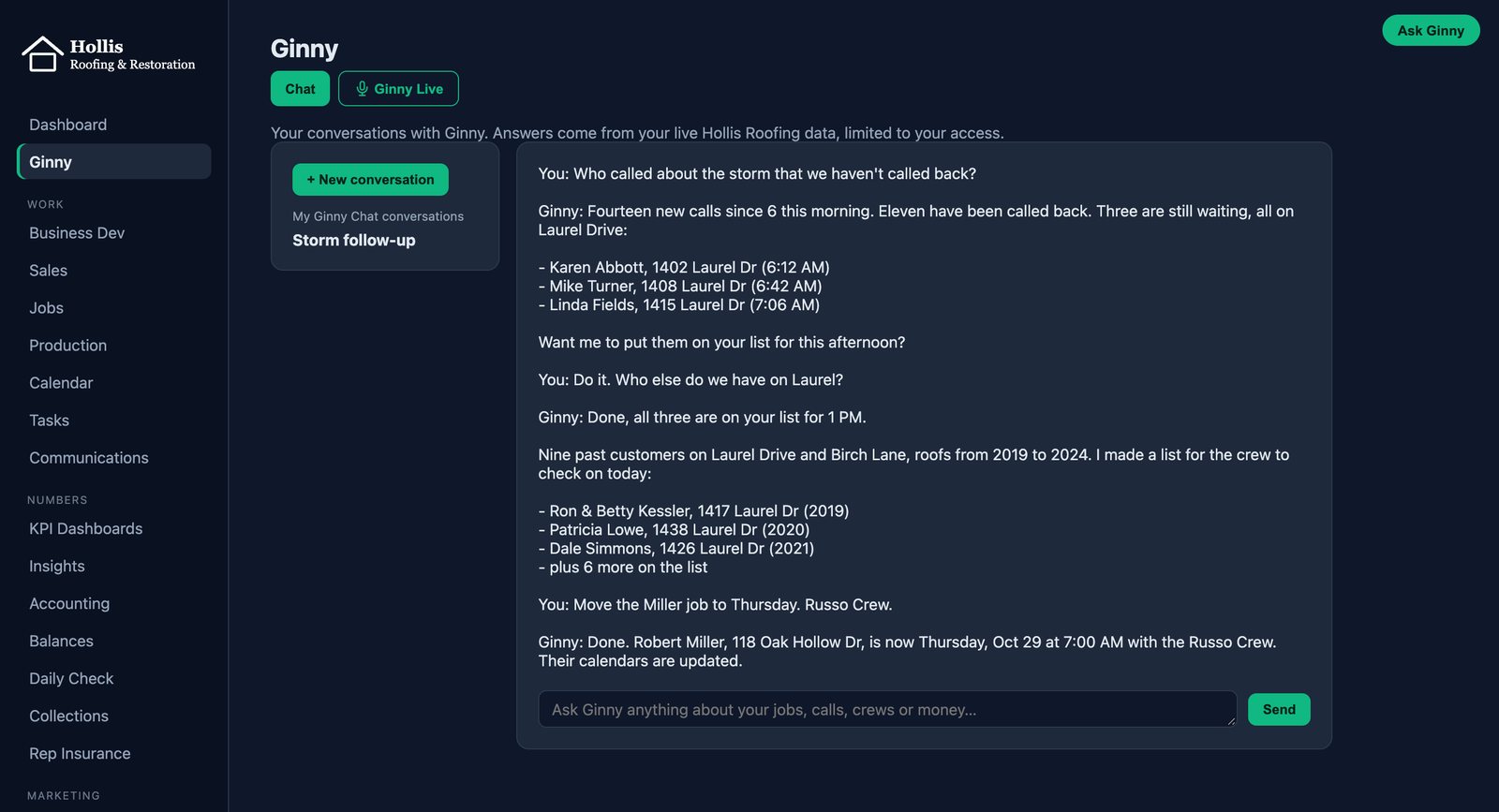
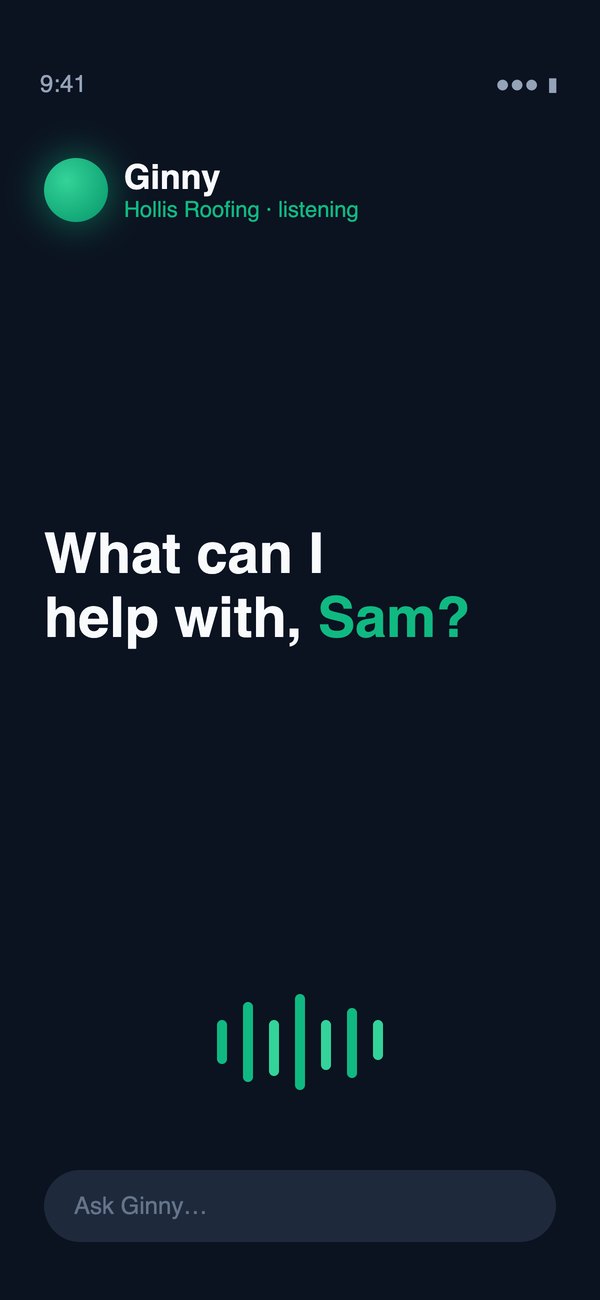
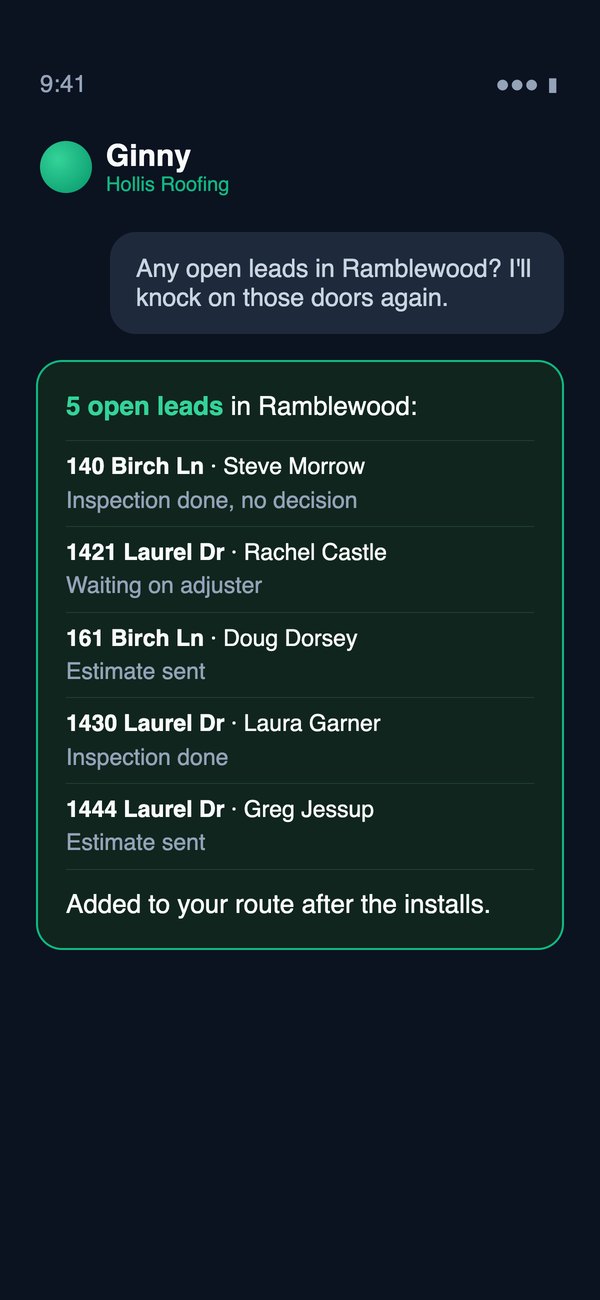
Chat and Voice
Talk to Ginny on the phone or desktop.
- Phone access
- Desktop access
- Whole team can use
Read Back, Then Yes
Ginny reads back exactly what will change and acts only after you say yes.
- Reads back before acting
- Waits for your yes
- Change logged under your name
Training Queue
When Ginny cannot answer, the question lands in a queue for your team to teach.
- Team teaches the answer
- Admin approves
- Approved answer goes live
Ask Anything
Plain-English questions over your data. Read-only, and it says how it counted.
- Read-only
- Runs as the person asking
- Dollars only for allowed roles
- Every question logged
What Stays With People
Critical decisions stay human. Contract Won, invoices, payments, commission approval, user access and deletes are never left to the AI. Ginny handles the busywork around them.
Your Data, Your Rules, Your Controls
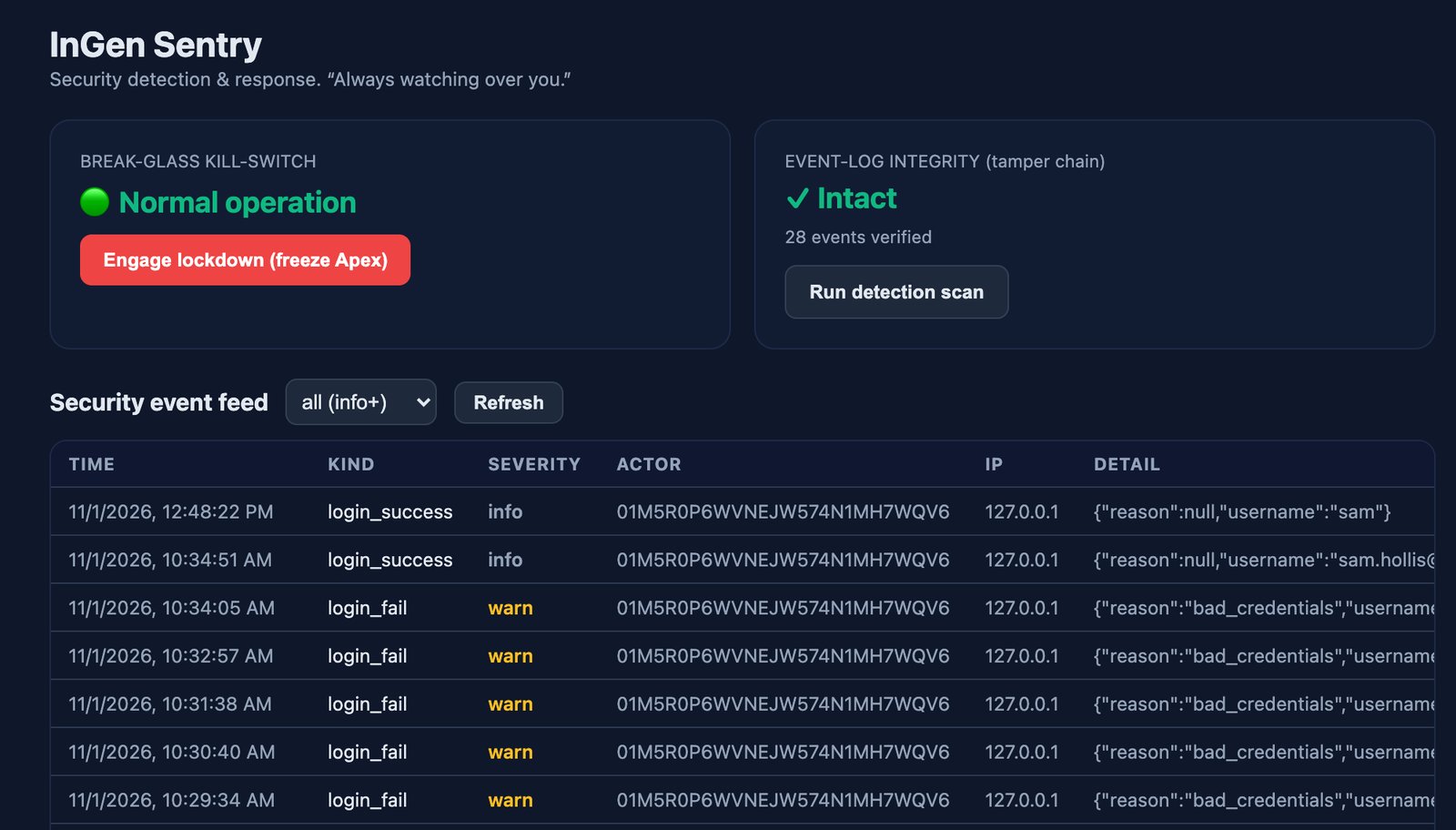
Six Access Levels
Roles from Owner to Crews set what each person can see.
- Owner to Crews
- Reps see only their deals
- Money by role
- Two-factor for users outside the office
Audit Log and Archive
Every action is logged. Delete is replaced by archive and restore.
- Audit log
- Archive and restore
- Undo finished tasks
Nightly Backups
Off-site backups run every night, with a monthly restore test.
- Nightly off-site backups
- Monthly restore test
- Your data stays yours
Works With the Tools You Keep
- Photos
- 38 from CompanyCam
- Invoice
- Synced to QuickBooks
- Install
- Thu 8 AM on Google Calendar
- Texts
- 6 on the company line
CompanyCam
Photos stay in CompanyCam, linked to the job.
QuickBooks
Stays your book of record. Apex connects to it.
Google Calendar
Syncs both ways with the Apex schedule.
RingCentral
Texting and calls run through the company line.
Built Around How You Work
- 1Owner asks
A change, asked in plain words.
- 2Built
Configured on your setup, often the same day.
- 31,200+ checks
Automated tests run before anything ships.
- 4Live
The change shows up for your team.
Standard Core
One roofing core that every Apex company shares, so fixes and security patches reach everyone at once.
Same-Day Changes
Most owner requests ship within a day, not a quarter.
More Than 1,200 Automated Checks
More than 1,200 automated checks run before any change goes live.
What Can Ginny Do for You?
See Apex running a real roofing operation. We show you the live system and talk about how your company works.